
Teaching the alphabet can often feel like a repetitive task, but using the Alphabet With Code Words To Print can breathe fresh life into your lessons. This resource is designed to make learning the alphabet engaging and memorable for young learners. It provides a unique way to connect letters with code words, helping students grasp the sounds and meanings behind each letter. In this article, we’ll explore how to effectively use this printable resource in various educational settings.
Understanding the Format and Layout
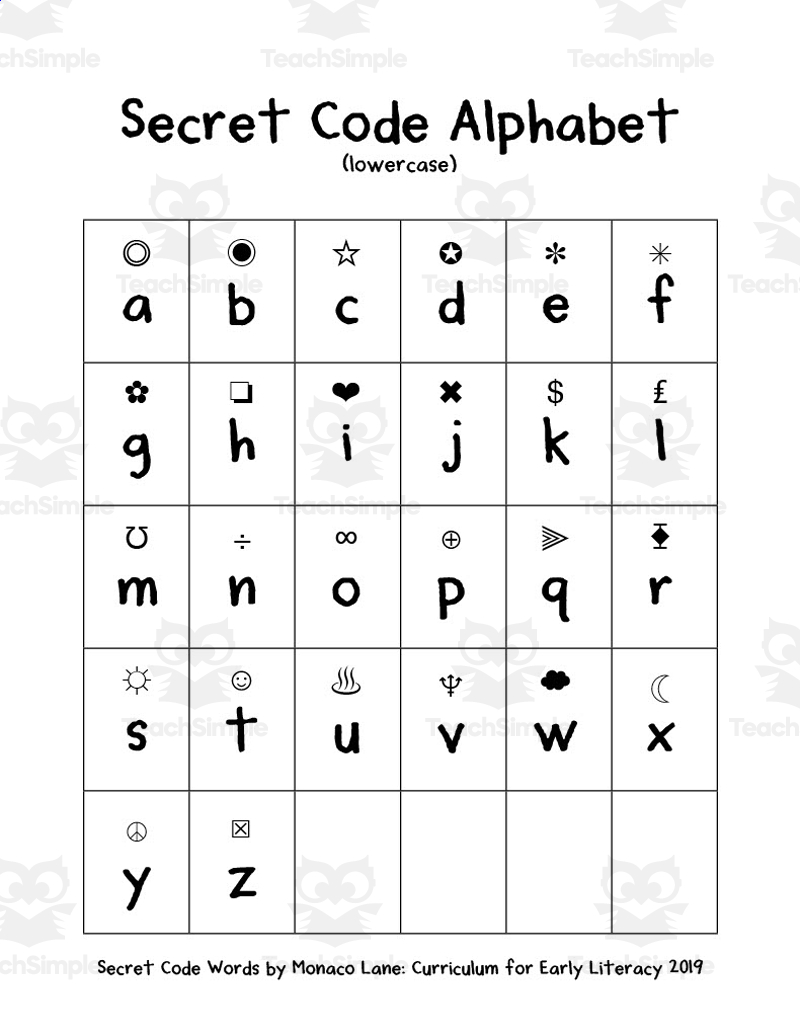
The Alphabet With Code Words To Print is structured in a straightforward, user-friendly layout. Each letter of the alphabet is paired with a corresponding code word that begins with that letter, such as “A for Apple” or “B for Ball.” This pairing not only aids in letter recognition but also reinforces vocabulary development.
The printable typically comes in a landscape format, making it easy for students to read and reference. Each letter and its code word are clearly displayed, allowing for quick recognition. A well-organized design helps students focus on one letter at a time, which is essential for effective learning.
The resource is available in PDF format, which is ideal for printing. It can be printed on standard letter-sized paper (8.5 x 11 inches), ensuring that it fits well in most classroom settings. For durability, consider printing on cardstock, especially if the resource will be used frequently or laminated for repeated use.
Engaging Activities for Different Learning Levels
This printable resource is suitable for various age groups, primarily targeting preschool to early elementary students (ages 3-7). Here are some engaging activities that can be implemented using the Alphabet With Code Words To Print:
Alphabet Matching Game
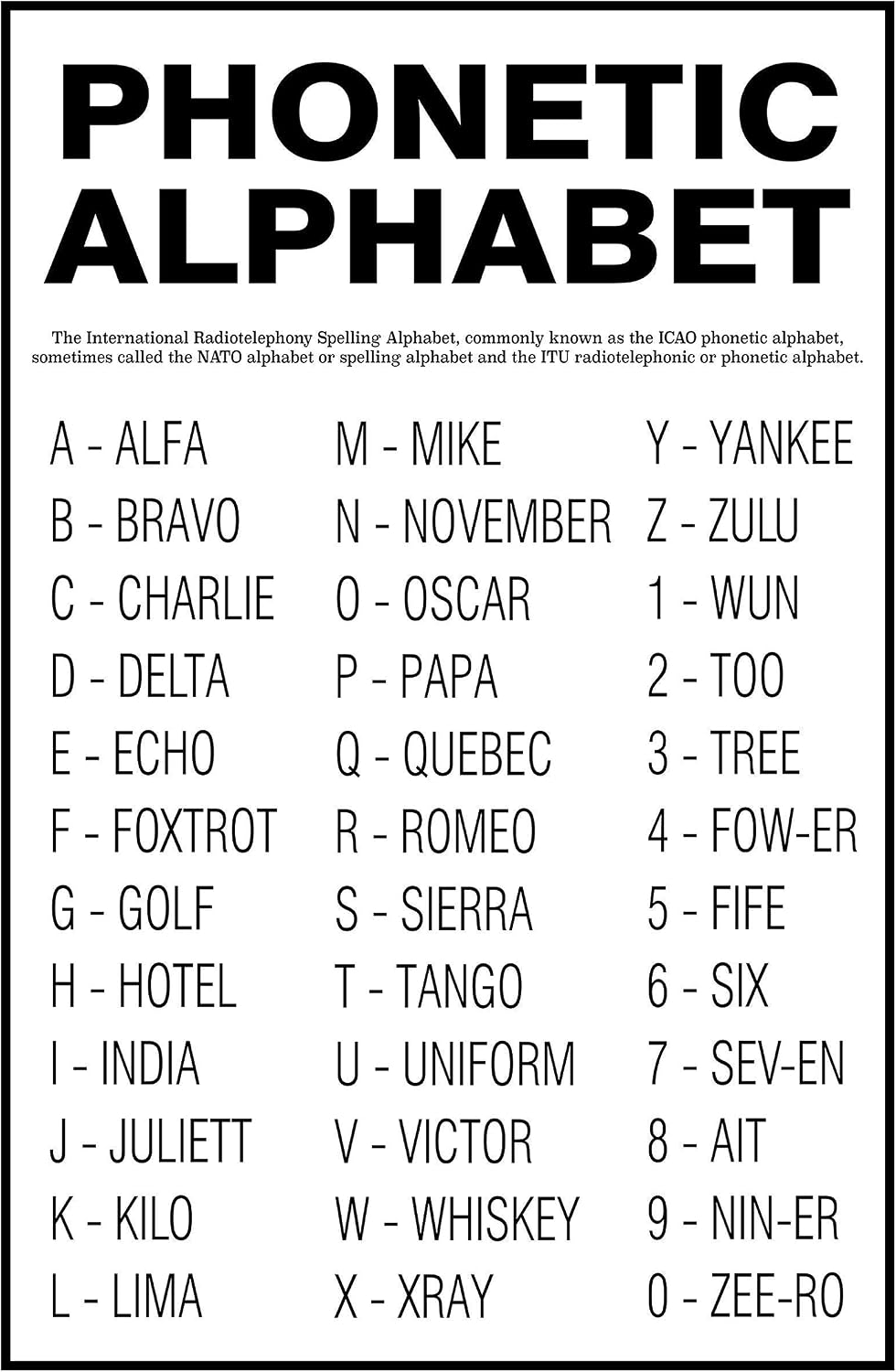
Create a fun matching game by printing two copies of the resource. Cut out each letter and its code word, mixing them up. Students can then work in pairs or small groups to match the letters with their corresponding code words. This not only reinforces letter recognition but also encourages teamwork and communication.
Code Word Illustrations
Encourage creativity by having students illustrate the code words. After discussing each letter and its word, ask them to draw a picture representing the word. For example, for “C for Cat,” a student could draw a cat next to the letter C. This activity promotes fine motor skills and helps students associate letters with visual representations.
Assessing Mastery of the Alphabet
One of the key benefits of the Alphabet With Code Words To Print is its ability to help teachers assess student mastery of the alphabet. Here are some practical ways to gauge understanding:
Observation During Activities
While students engage in the matching game or illustration activities, take note of their ability to recognize letters and associate them with the correct code words. Are they struggling with certain letters? This observation will provide insight into areas that may need additional focus.
Completion of Worksheets
If you choose to create worksheets based on the resource, you can assess students’ understanding through their responses. For instance, ask them to fill in the blanks for letters or draw lines connecting letters to their code words. Reviewing these worksheets will help you determine which students have mastered the material and which may require further practice.
Adapting the Resource for Diverse Learners
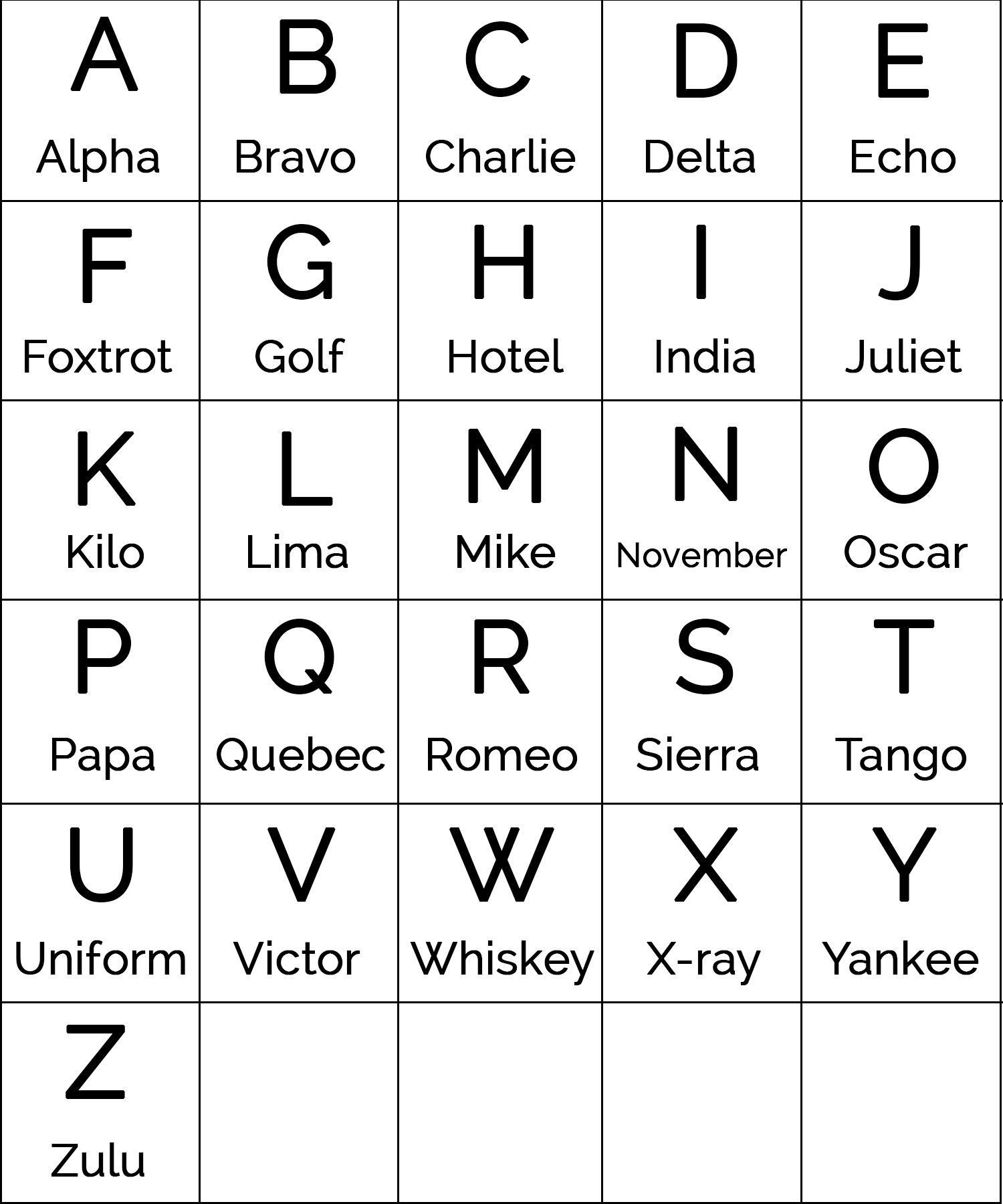
Every classroom is filled with diverse learners, and the Alphabet With Code Words To Print can be easily adapted to meet various needs. For English language learners, pairing the code words with images can provide context and help with vocabulary acquisition. Additionally, for struggling readers, consider working with them in small groups to provide more personalized support.
Incorporating Technology
Incorporating technology can enhance the learning experience. Consider using digital platforms where students can interact with the alphabet resource. For example, create an interactive slide presentation with the letters and code words, allowing students to click on each letter to hear its sound and see its corresponding word.